AI social media automation
A multi-agent AI system that runs social media for 10 brand accounts, with a person approving every post.
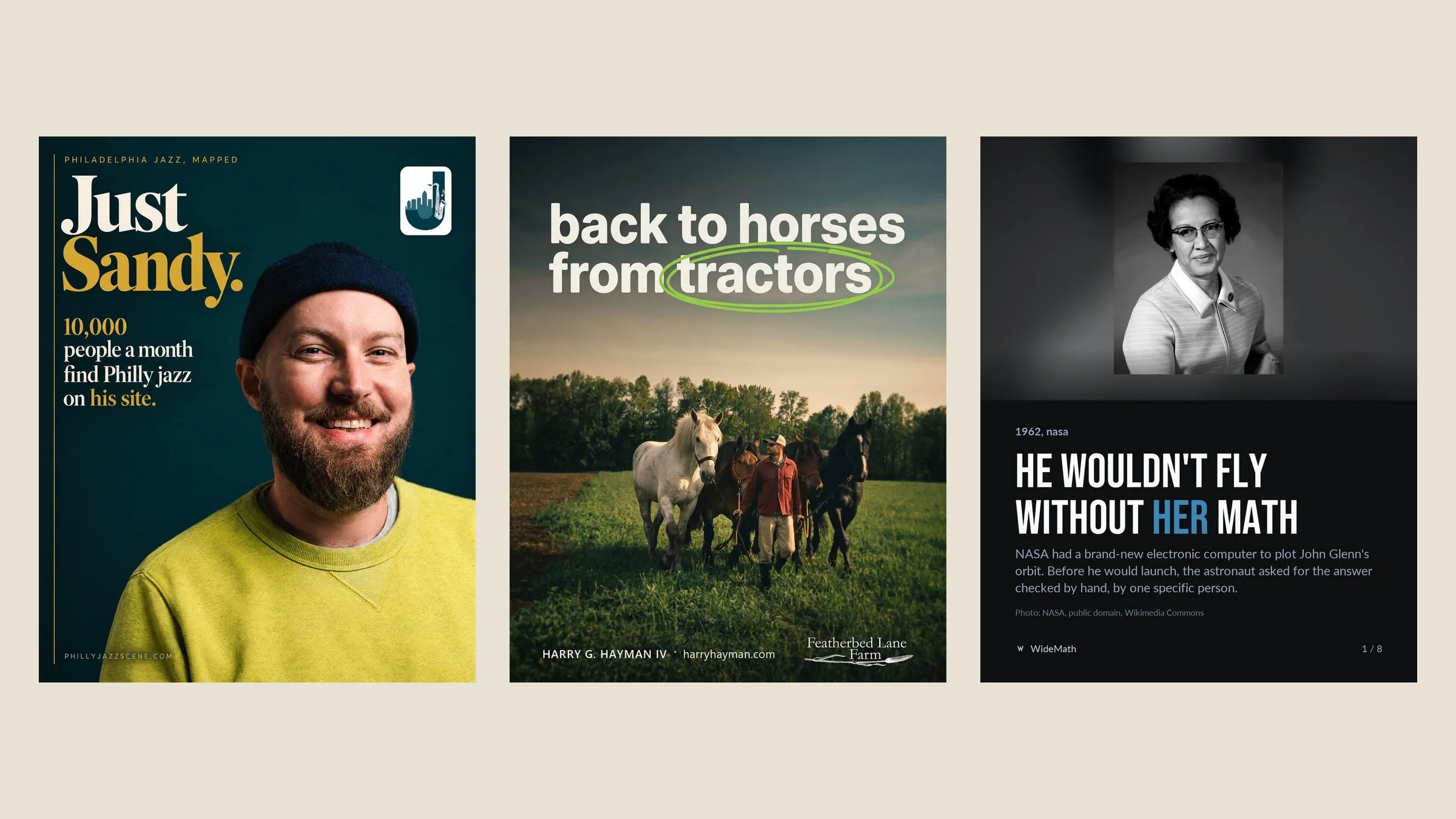
10 brand accounts run by one system
13 specialised sub-agents
160+ posts in the first five weeks
The workflow at a glance
Every post moves through these steps. The logos are the tools each step uses.
Ideas
AI Finds stories, events and the client’s own emails, and checks each against what is already posted.
Person Accepts the ideas worth making.
Captions
AI Writes one caption per platform, in the brand’s voice.
Person Edits in place or asks for changes.
Posters
AI Writes the image brief, generates the poster, then places the real logo.
Person Pins a comment on the exact spot to fix.
Video
AI Cuts, captions and finishes the reel.
Person Approves the cut.
Article
AI Writes the companion article and publishes it on the brand’s site.
Person Reads it live.
Checks
AI Runs the validators, then one fresh reviewer reads everything.
Person Only sees work that passed.
Approval
AI Sends the review email with the article already live.
Person Says yes in the dashboard or by email.
Scheduling
AI Picks best-time slots, checks each network’s rules and reads back after publishing.
Person Can hold or move any post.
Learning
AI Scores what worked and shifts next week’s mix.
Person Can overrule the mix.


One post, from idea to live
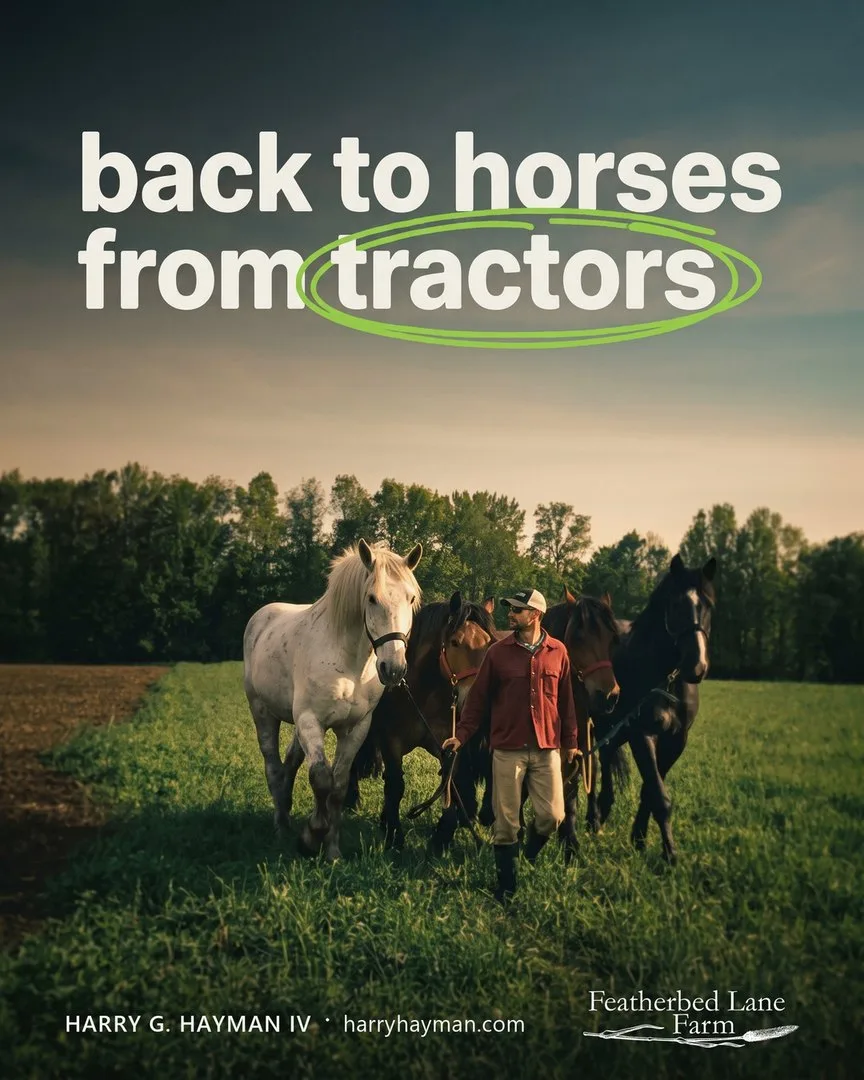
Back to horses from tractors, for the Harry Hayman account: what happened, step by step.
30 Aug 2026
The idea
A local-food story in the brand’s own voice: farm debt, not yield, decides who gets to farm. The numbers were researched and sourced, starting with the USDA’s own forecast, along with a farm that chose draft horses over a loan.
30 Aug
Eight captions
One version per network. The X version has to fit the limit; the LinkedIn version tells the whole story and carries the article link.
 X caption, as posted
A new combine costs more than a median Philly house. US farms will carry $624.7bn in debt this year. Tim Biello could not afford land. A farmland fund backed a lease to own. He works 63 acres behind four draft horses. A tractor depreciates. A horse multiplies. #FoodSystems
31 Aug
The poster
Generated in one pass with Nano Banana Pro through Higgsfield. Then the name line and the farm’s own wordmark were placed from the real files, because a model never draws a logo.
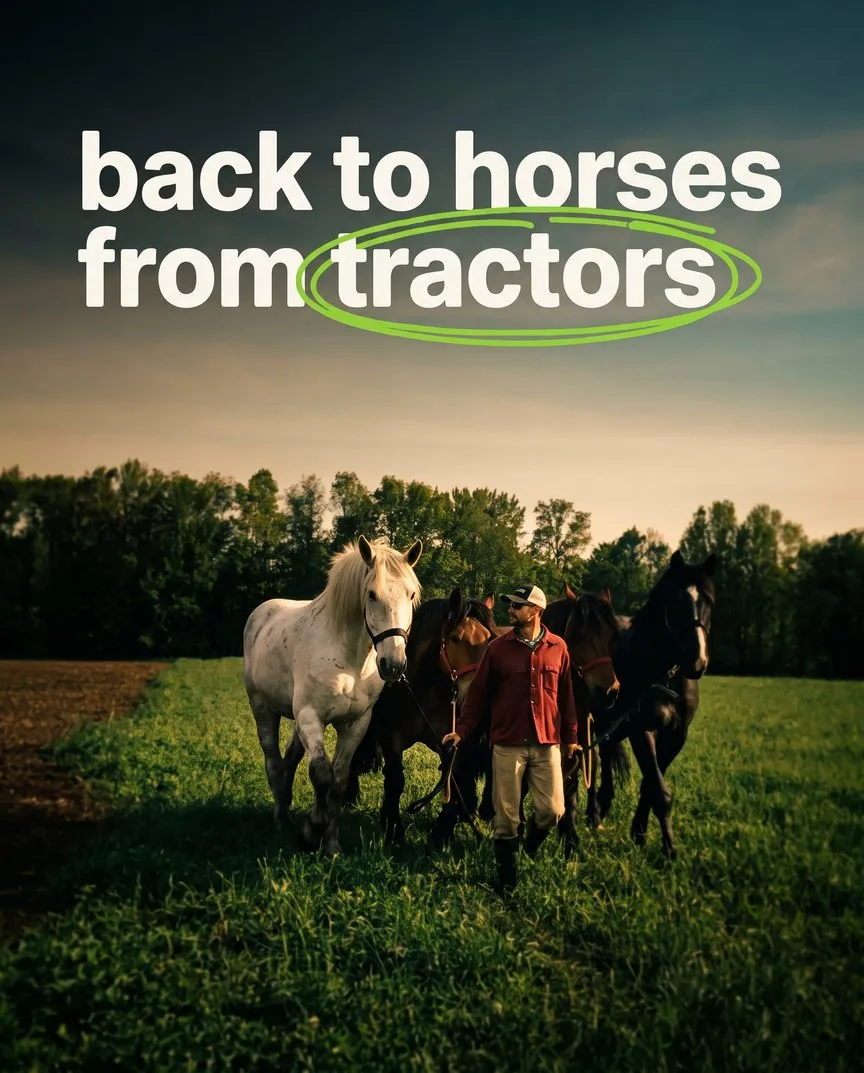
As generated 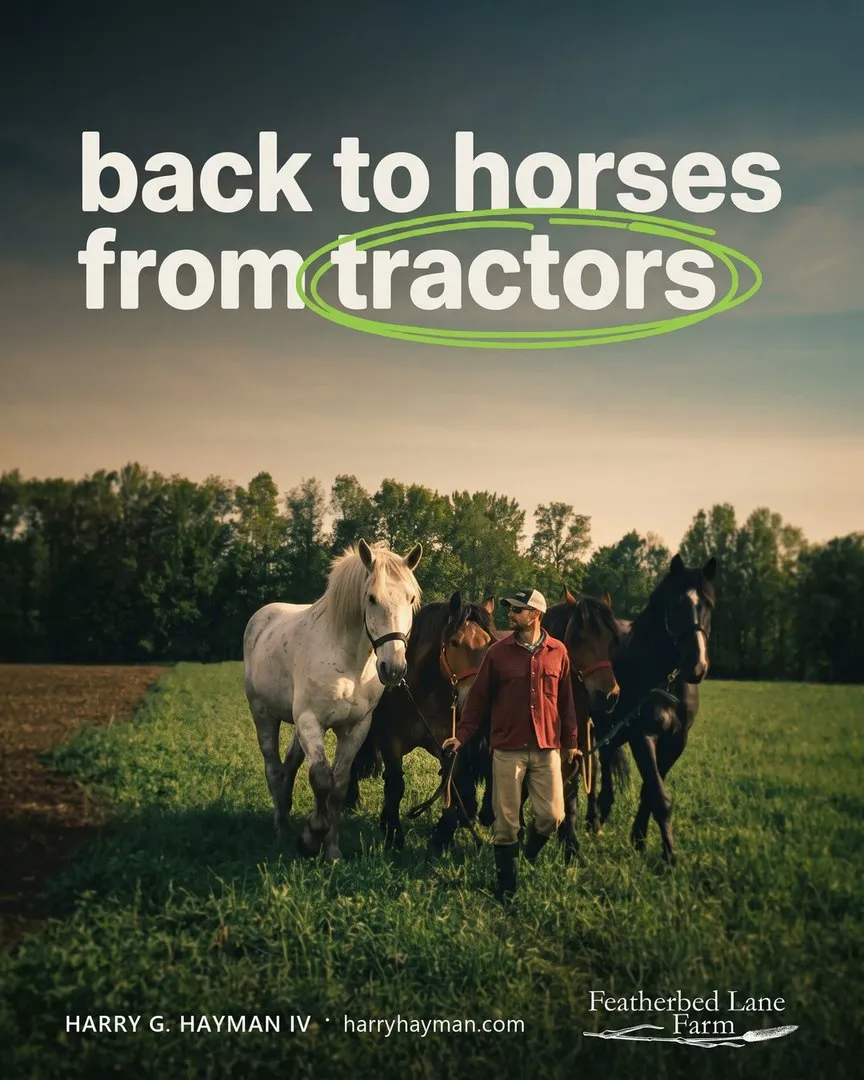
Finished 1 Sep
The companion article
Published on the brand’s own site before anything was scheduled, so every caption could link to it.
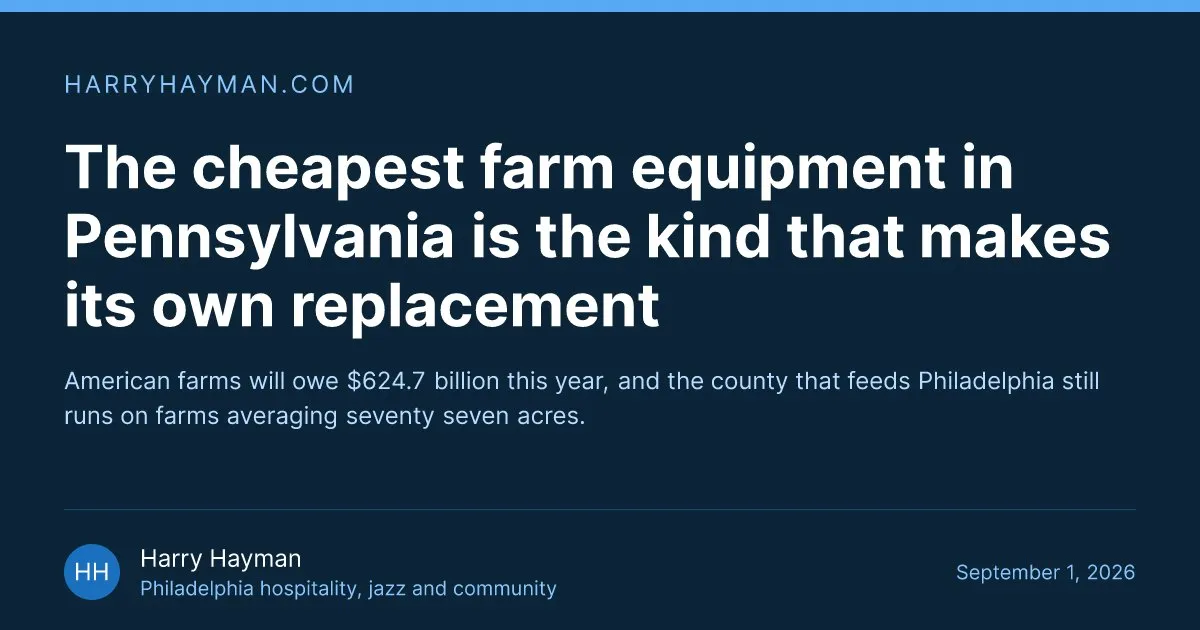 harryhayman.comThe cheapest farm equipment in Pennsylvania is the kind that makes its own replacement
1 Sep
Review and approval
A fresh reviewer passed it. The review email went to the client with the article already live, and the client said yes by replying.
16 Sep
Live on eight networks
Scheduled through Metricool in a best-time slot, then checked again after it went out.
 Instagram
 Facebook
 LinkedIn
 Threads
 Bluesky
 X
X TikTok
 Pinterest
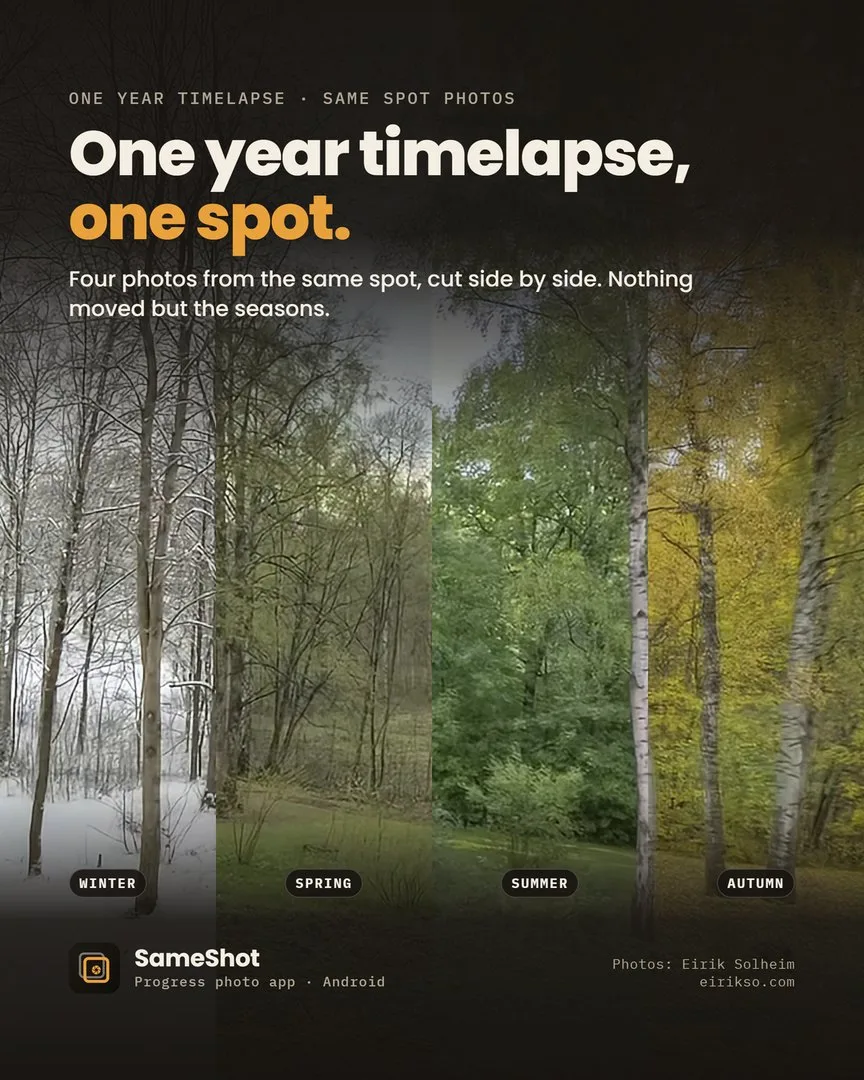
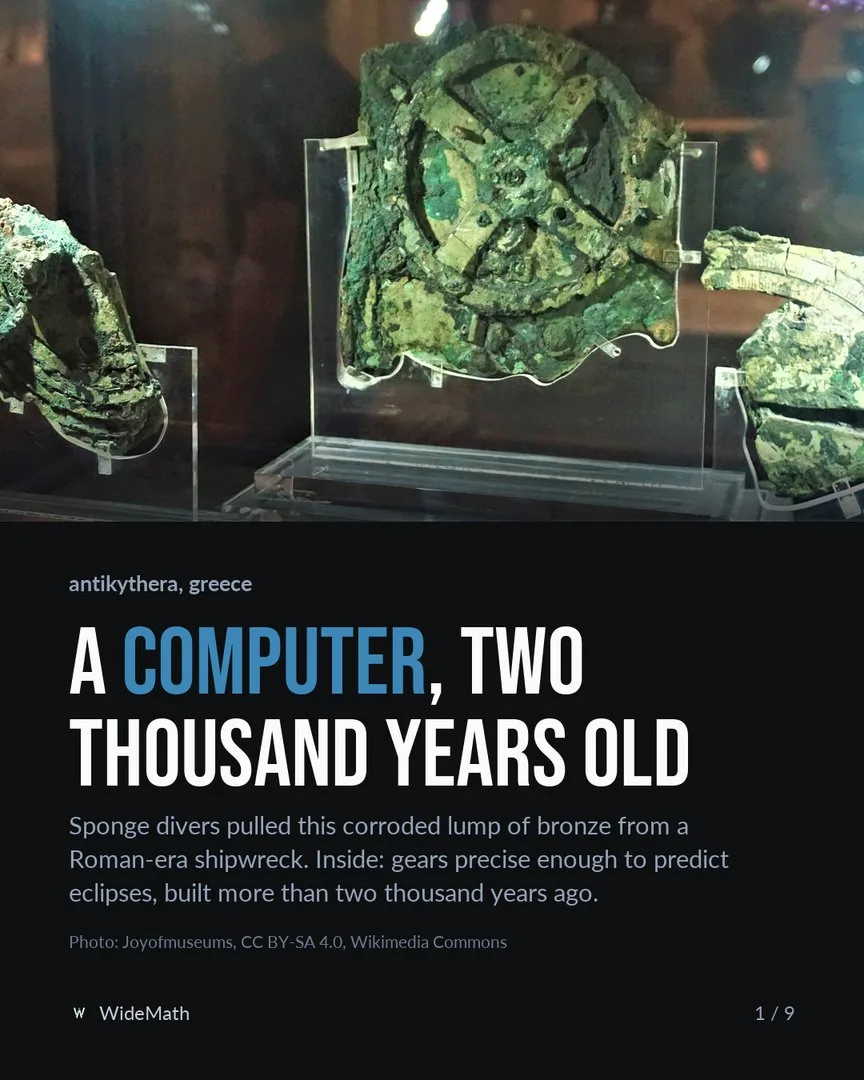
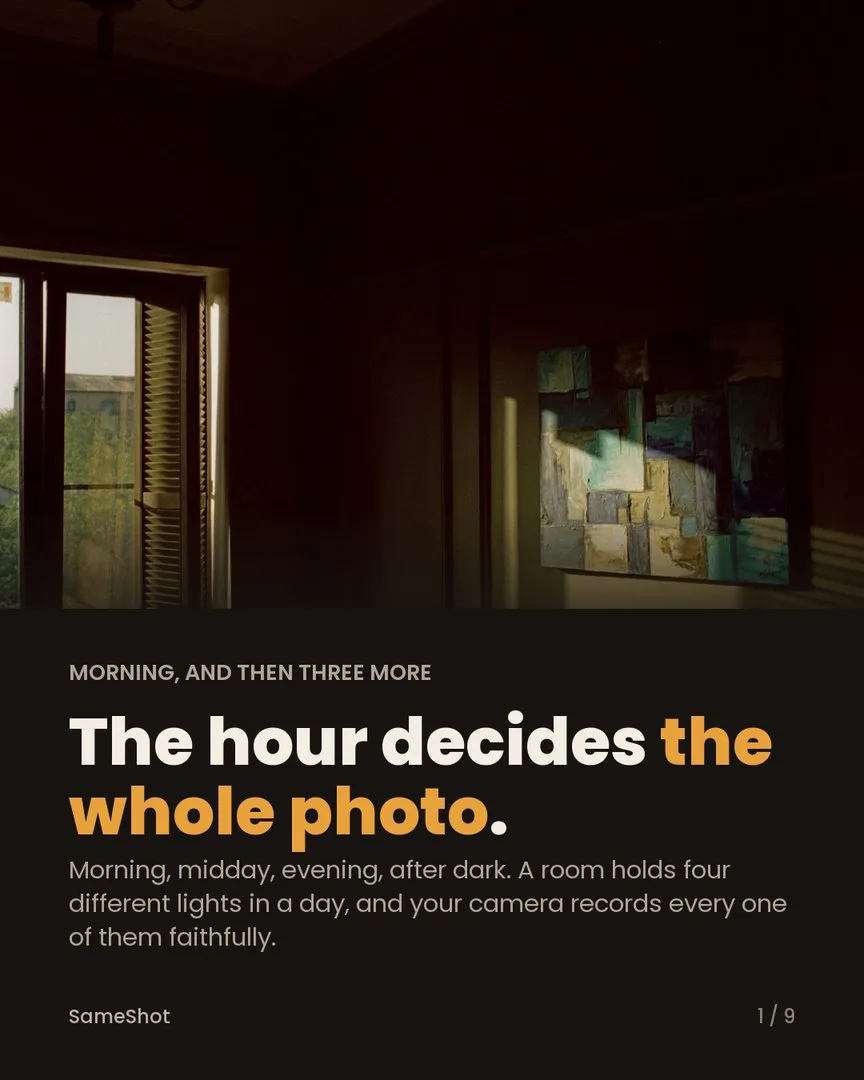
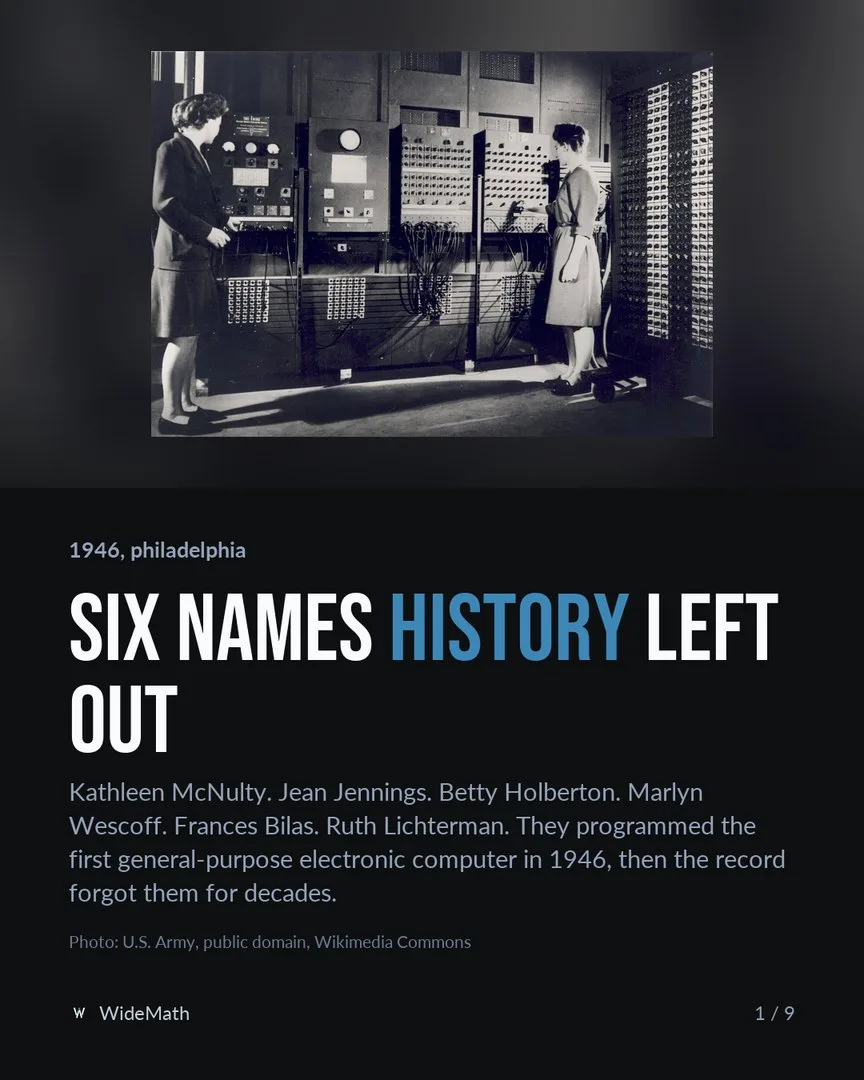
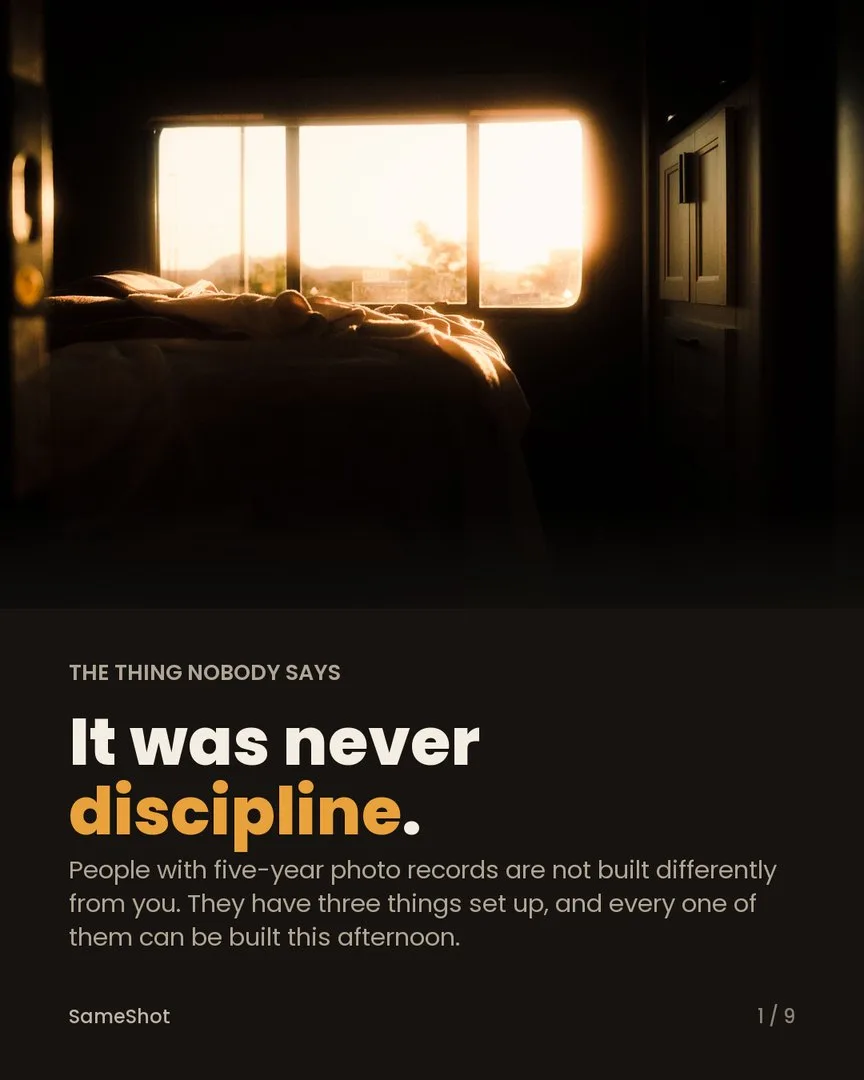
Posters it made

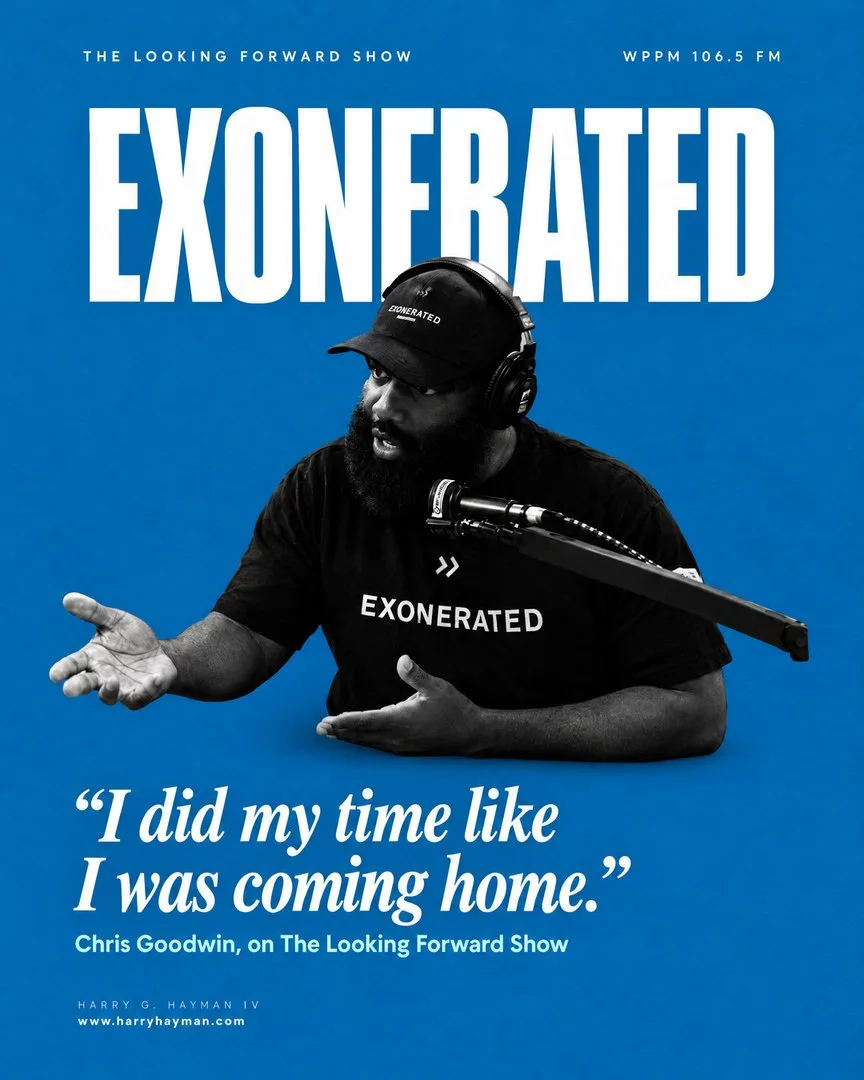
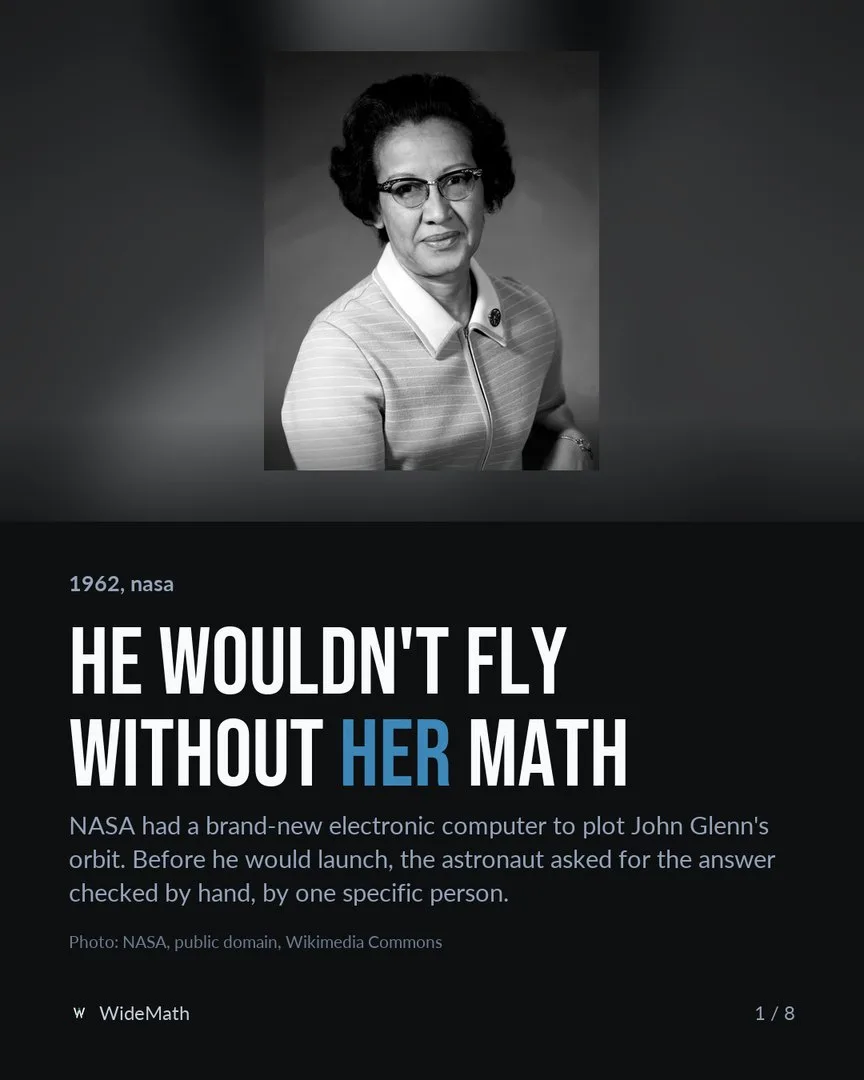

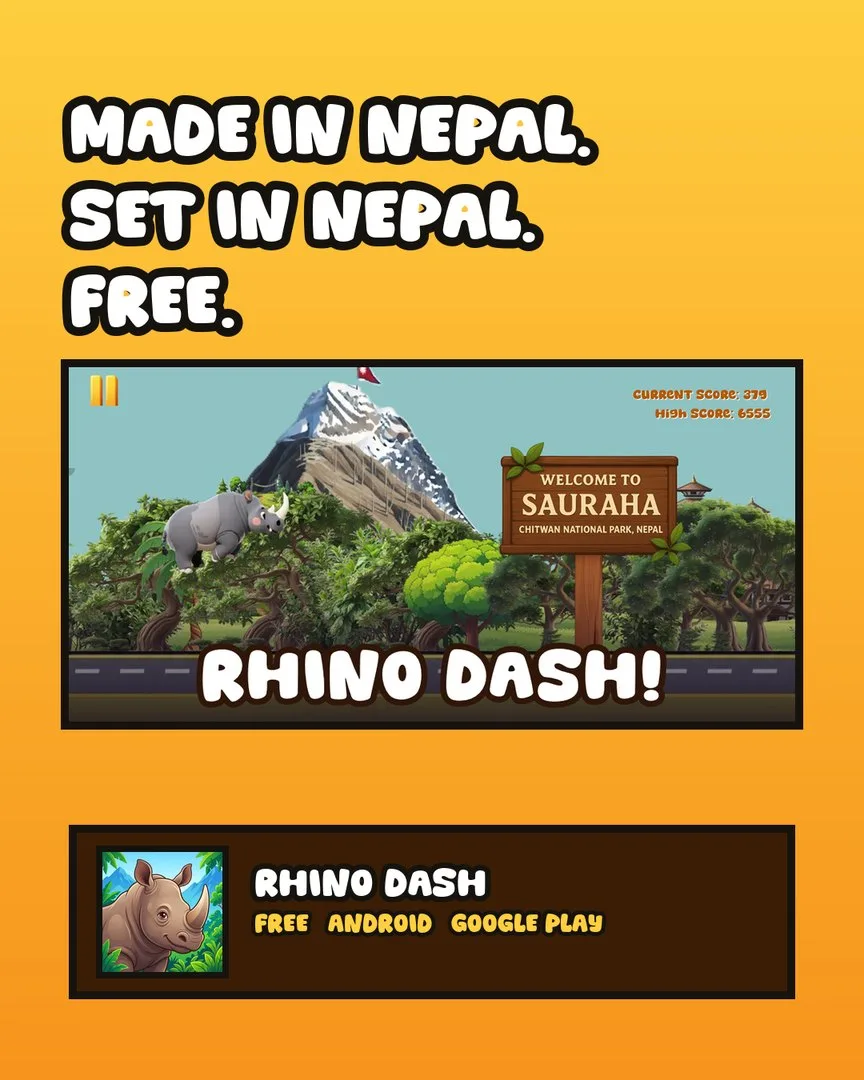
Companion articles
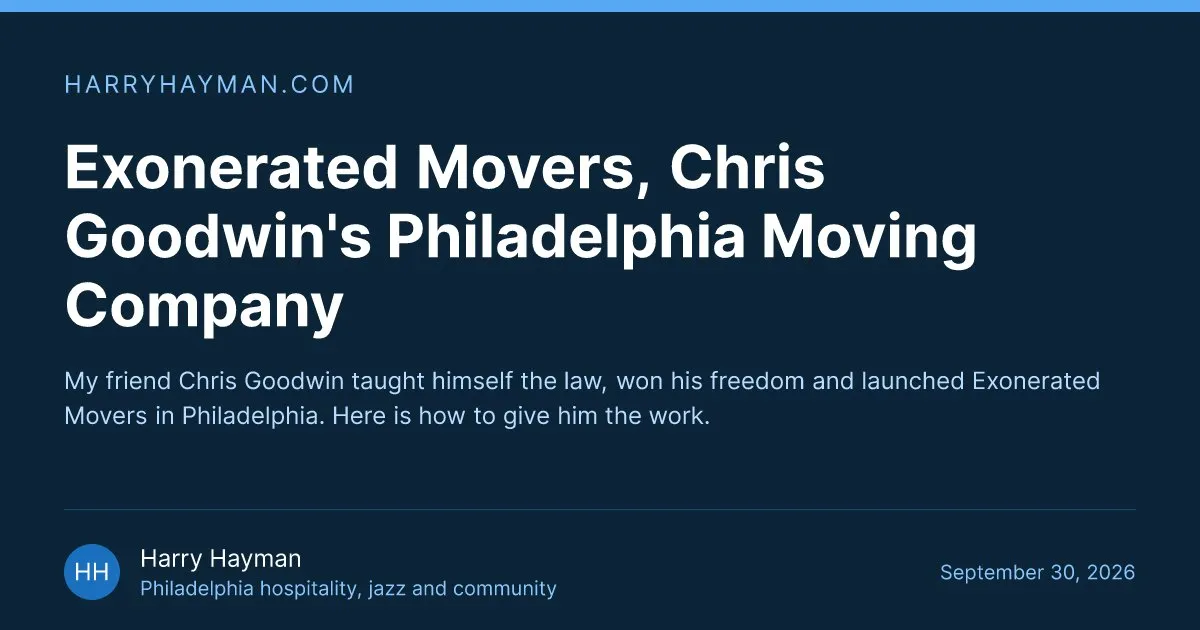
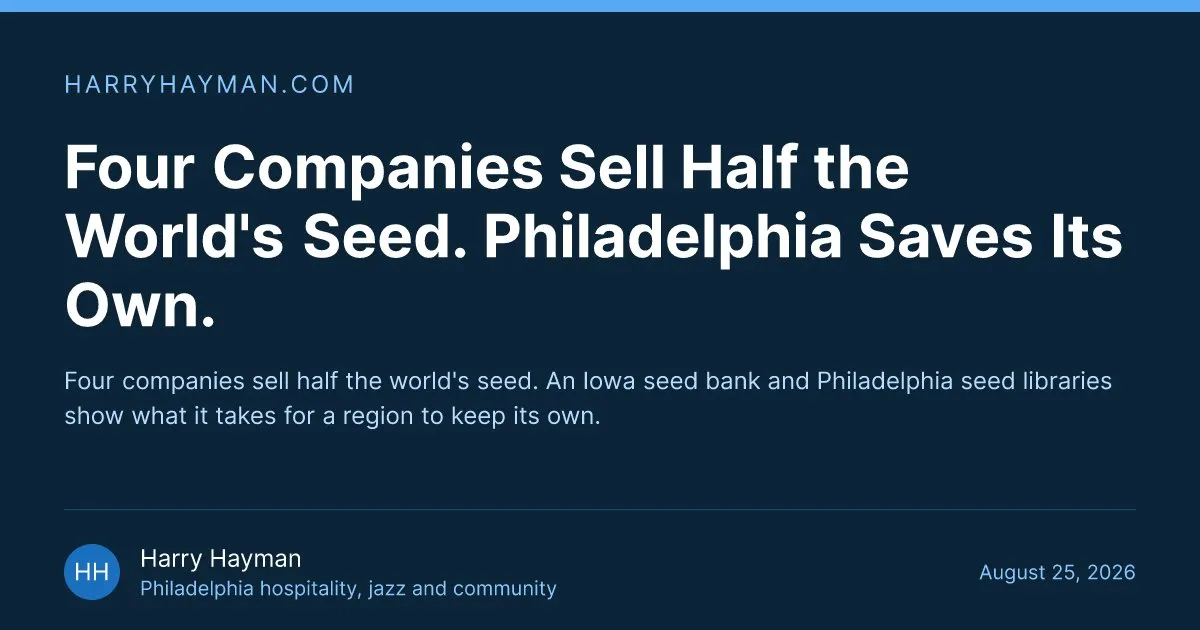
Every client post gets a full article on the brand’s own site, live before the post goes out. Three of them, on harryhayman.com:
The tool stack
Everything this AI social media automation runs on, by job. The schedulers beside Metricool are the ones worth knowing if you already use one. Logos belong to their owners.
Models
 ClaudePlans, writes and reviews
 ChatGPTGPT models, for some writing jobs
 Nano Banana ProThe default poster model
- GPT Image 2Posters with lots of small type
 SeedreamPortraits another model refuses
 KlingAI video scenes
- SeedanceAI video scenes
 VeoAI video scenes
- WhisperTranscripts, timed word by word
 ElevenLabsVoiceovers
Agents and connections
- Claude CodeWhere the agents run
 Model Context ProtocolHow agents reach tools
 T3 CodeHands jobs to other models
 GmailContent in, approvals back
 NotionNotes, after a privacy screen
 Bright DataSearch and page reading
 Google DriveChecks shared videos
 Google AnalyticsTraffic to our apps
 PlaywrightA real browser for checks
Design and video
 HiggsfieldOne connection, many models
 CanvaTemplates teams edit by hand
 Adobe FireflyAdobe’s image model
 MidjourneyArt direction for moods
 Premiere ProHands-on edits
 FFmpegAudio and the final encode
Scheduling
 MetricoolWhat this system schedules with
 BufferSimple posting queues
 HootsuiteBig teams and approval chains
 SocialPilotAgencies, with its own MCP
 Sprout SocialA suite for larger teams
 LaterVisual planning
 PublerAnother scheduler
Platforms
 InstagramPosted to
 FacebookPosted to
 LinkedInPosted to
 XPosted to
 ThreadsPosted to
 BlueskyPosted to
 TikTokPosted to
 PinterestPosted to
Blog and web
 AstroThe article sites
 KeystaticAn editor for the writers
 GitHubEvery article is a commit
 NetlifyRebuilds the site on push
 CloudflareHosting for our own sites
 Next.jsThe Cadence dashboard
The problem
Keeping 10 brand accounts posting every week, each in its own voice and on every platform it uses, is slow and easy to get wrong by hand.
What I built
- One orchestrator that only delegates, and 13 specialised sub-agents: researchers, writers, designers, reviewers, a scheduler and more, each with one job.
- Quality gates: every post passes an automatic check, then an independent reviewer that never saw how it was made, before a person sees it.
- Human approval on every post, then scheduling across the platforms each brand uses, with results fed back into the next round.
Where it is now
Running every day. When a person corrects it, the lesson is written into its instructions so the mistake is not repeated.
Built with
Claude agents with written skills, MCP servers for every outside tool, validators, the Cadence approval dashboard and Metricool scheduling
About AI social media automation
This is an AI system I designed and run. It handles social media for a Philadelphia hospitality entrepreneur: 10 brand accounts in all. It researches ideas, writes a caption for each platform, designs the graphic, checks the work and schedules it. Nothing is published until a person approves it.
An orchestrator reads each request and hands the work to 13 specialised sub-agents, each with its own instructions and tools. Producers never grade their own work: every post passes an automatic check, then a reviewer that starts fresh, with no memory of how the post was made. When a person corrects something, the lesson goes into the instructions the agents read next time.
It shipped 160+ posts in the first five weeks, end to end. The same approach powers the AI social media automation I build for clients, and the wider AI automation work for back-office tasks and outreach.
The posters and articles on this page are real output, from the client’s accounts and from our own apps at Appynox, SameShot, WideMath and Rhino Dash, which go through the same pipeline.
How it is run
The orchestrator never does the work
It reads the request, picks the playbook and hands each job to a specialist agent with its own tools and a fresh context.
Producers never grade themselves
Every post passes an automatic check, then a reviewer that knows nothing about how it was made. It ships, or it goes back with a list of fixes, and once the capped repairs are used up, the call goes to a person.
People hold the launch keys
Nothing reaches a live account without an explicit yes. An automation earns trust by being easy to stop.
The loop closes
Results flow back and become rules the writing and design agents read on their next run, so the system learns from what actually worked.
The rulebook fixes itself
When a mistake slips through, a separate maintenance agent finds the instruction that caused it and proposes a small fix there, so the same mistake is not made twice.
The same rules at home
My own agent fleet works the same way: a design director, a video editor, a web engineer that built this site with me, and a maintainer that keeps the others honest.
How this AI social media automation works, step by step
On this page
- The case at a glance
- What AI social media automation means here
- Why I built it
- The AI models: Claude, ChatGPT and the specialists
- Multi-agent design: one orchestrator and 13 specialists
- MCP servers: how the agents reach real tools
- Step 1: Ideas from email, research, the calendar and notes
- Step 2: Captions written for each platform
- Step 3: AI image generation with Higgsfield, and the other options
- Step 4: Video, and the custom editing skill
- Step 5: The companion blog setup
- Guardrails and checklists: how every post is checked
- Human approval, then the client’s
- Scheduling and posting: Metricool, Buffer, Hootsuite and the rest
- Comments and replies
- Measuring, testing and learning
- Guardrails that keep AI social media automation safe to leave running
- What it has shipped
- What I would tell anyone building AI social media automation
- Can AI social media automation work for your brand?
AI social media automation is the use of AI to run the repeatable work behind social accounts: finding ideas, writing a caption for each platform, designing the graphic, editing the video, scheduling the post and reading the results. In the system on this page, AI does all of that, and a person still approves every single post. It is built on Claude: one orchestrator and 13 specialised sub-agents, connected to real tools through MCP servers. It runs 10 brand accounts for a Philadelphia hospitality entrepreneur, plus our own apps at Appynox, and it shipped 160+ posts in its first five weeks.
What follows is the whole workflow, in the order a post moves through it: the models, the MCP servers, image generation, video, the companion blogs, scheduling and the guardrails. The checklists are described by what they cover, not line by line. Those stay in-house.
The case at a glance
- Client: a Philadelphia hospitality entrepreneur with 10 brand accounts, plus our own apps at Appynox: SameShot (sameshot.appynox.com), WideMath (widemath.com) and Rhino Dash (rhinodash.appynox.com).
- The problem: every brand posting every week, each in its own voice, on every platform it uses, with names, dates and numbers that have to be right.
- What runs it: agents in Claude Code, one orchestrator and 13 sub-agents, reaching outside tools through MCP servers.
- Platforms: Instagram, Facebook, LinkedIn, X, Threads, Bluesky, TikTok and Pinterest.
- Who decides: every post has a human yes before it goes live: mine in a dashboard and the client’s by email, or the client’s own when they wrote it.
- Result so far: 160+ posts in the first five weeks, end to end, from the first idea to a scheduled post.
What AI social media automation means here
Here, AI social media automation means every repeatable step runs without anyone pushing it, from the first idea to the scheduled post, while every judgement call stays with a person. AI researches, writes, designs, edits, checks and schedules. A person says yes to every post before it goes live: me in a dashboard, or the client, by email or by having written it.
The workflow at a glance at the top of this page shows each step with the tools it uses, and what the AI does beside what a person does.
The split is deliberate. AI is fast and tireless at the parts that follow rules. People are better where being wrong is expensive: what to say about a sensitive story, whether a photo is the right one, whether a line will land with this audience. So the system takes the routine typing off people’s hands, and it never lets AI decide alone what the public sees.
Why I built it
Ten brand accounts sounds manageable until you count the pieces. Each post needs a caption for every platform it goes to, a graphic that matches its own brand and not the other nine, usually a companion article, and a slot on the calendar that does not collide with anything else. Every name, date and number has to be right, because these brands are part of a real person’s public life. And the client approves between meetings, by email.
By hand, that is a full-time job that still makes mistakes. With a single chat window, it turns into posts that all sound alike, from a tool with no memory of last month’s corrections.
I wanted the speed of AI with the care of a good social media manager. The way I found to get both was to write the care down as rules, then give each rule to an agent whose whole job is that one thing.
The AI models: Claude, ChatGPT and the specialists
No single model does every part of this well, so the system uses several, each on the job it does best.
Claude runs the agents, and OpenAI’s GPT models, the family behind ChatGPT, take some writing jobs. Nano Banana Pro from Google, GPT Image 2 from OpenAI and Seedream from ByteDance make the images. Kling, Seedance and Veo make short AI video scenes, Whisper writes transcripts with a timestamp for every word, and Kokoro and ElevenLabs do the voices. Each one is in the tool stack above, logo and job.
Which AI model is best for social media automation?
For running the agents, Claude. Most of this job is following long written rules: a brand’s voice, each platform’s limits, the things that may never be said. Claude follows them well, and the agents run in Claude Code, Anthropic’s agent tool, where each one gets its own instructions, its own tools and a clean context. The biggest model plans, a mid-sized one produces, and the smallest, fastest one reviews, because a review that runs on every post has to be cheap.
ChatGPT’s models come in through T3 Code, the desktop app I run agent sessions in. It can start an OpenAI GPT model as a sub-agent beside Claude, and some writing jobs go that way. Claude then checks every fact in the draft, because a fluent draft is useful and an unchecked fact is not. The same app can also run xAI’s Grok as an agent.
The image and video models all sit behind one connection, Higgsfield, which is covered in step 3.
Multi-agent design: one orchestrator and 13 specialists
A multi-agent system splits one big job among agents that each do one thing. The orchestrator is the only one that sees the whole request. It reads it, picks the playbook and hands each piece to a specialist. It never writes a caption or designs a poster itself. If it did, it would end up grading its own work, which is exactly what this design avoids.
These are the 13 specialists, by job:
- Idea researcher. Finds current, credible stories and events for a brand, and checks each one against everything already posted.
- Image sourcer. Finds real photos of the real people, places and events a post names, and keeps where each one came from.
- Post stager. Opens each new post, saves its source material and records where it came from.
- Caption writer. Writes one caption per platform.
- Graphic designer. Writes the image brief and generates the poster.
- Blog writer. Writes the companion article for the brand’s website.
- Caption reviewer.
- Graphic reviewer.
- Blog reviewer. The three reviewers now run as one combined pass, explained further down.
- Scheduling preparer. Builds the post for each network and runs the checks before anything is scheduled.
- Mail reader. Reads the client’s labelled emails and pulls out the photos and notes in them.
- Notifier. Sends status emails.
- Diagnoser. When a mistake gets through, finds which instruction caused it.
Four design rules hold the team together:
- Fresh context for each job. A specialist starts clean, with only its instructions and the files it needs. Nothing leaks in from the last post.
- Producers never grade themselves. The agent that made something never decides whether it is good enough.
- The right size of model for each job. Judgement gets the bigger models. Checking formats does not.
- Plain files are the shared memory. Each brand has a folder, and each post has a folder inside it, so any agent, or any person, can see the exact state of a post at any moment.
MCP servers: how the agents reach real tools
What is an MCP server?
The Model Context Protocol, or MCP, is an open standard that Anthropic introduced in November 2024. It lets an AI model use outside tools through one common interface. An MCP server wraps one service, such as a scheduler or an inbox, so any agent that speaks MCP can use it without custom code for each connection.
These are the MCP servers this system uses:
Metricool reads each brand’s calendar, finds the best posting times, schedules and pulls analytics. Gmail brings in the client’s emails and sends the review emails. Higgsfield reaches several image and video models through one connection. Bright Data searches the web and reads pages for research and competitor scans, and an image downloader saves real photos with their source. Notion holds meeting notes, read only after a privacy screen. Google Drive checks the videos shared with the client, Google Analytics reads the traffic to our own apps’ websites, and Playwright drives a real browser for checks and screen recordings. A scheduled-tasks server runs the routines on a timetable, and T3 Code hands a job to another model, such as a GPT model, as a sub-agent.
A few jobs don’t need MCP. The blog is published with git, the same way a developer ships code, and video is finished with ffmpeg on the command line. An agent with a terminal can use these directly, so wrapping them would add nothing.
Step 1: Ideas from email, research, the calendar and notes
Ideas arrive four ways.
- The client’s own email. Photos, notes and finished captions go to an inbox, labelled by what they are. The mail reader picks them up, and each one is routed to its brand as it is staged. Photos go into the post, and they are looked at, not just copied: the strongest frame becomes the cover, because it is often the only one people see, and the rest are ordered to read as a story rather than a camera roll.
- Research. The researcher looks for current, credible and specific stories for each brand: local news, openings, awards, the people and places the brand cares about. Every candidate is checked against what has already been posted. Specific news never repeats. An evergreen theme can come back, but only from a genuinely new angle.
- The calendar. Upcoming holidays, awareness days and local events, so an event post goes out shortly before the date, not after it.
- Notes. Meeting notes in Notion can hold good ideas, and they can also hold things that must never become a post. So they pass a privacy screen first. The default answer is no, one sensitive topic rules out the whole page, and nothing from a private conversation is ever quoted or cited in a post.
Each idea that survives is worked into a short dossier: the angle, a few possible hooks, a score for how far it might travel, and a fact sheet with a source for every fact. Competitor scans feed in as well, showing what works for similar accounts, with the engagement to back it up, and what to avoid.
Then the ideas wait in the dashboard. A person accepts the ones worth making and can steer any idea with a comment before it is produced. Those comments are binding, and the newest one wins when two disagree.
Step 2: Captions written for each platform
One caption does not fit every platform. LinkedIn suits a longer post, and it carries the article link. X has a hard character limit. Threads and Bluesky read best short and conversational. Pinterest pins point at the article, and TikTok gets no links at all. Instagram and Facebook sit somewhere in between. So the caption writer writes a separate version for each platform the brand uses, each in the brand’s voice.
That voice is written down once, in four guides per brand: brand guidelines, a caption guide, a graphics guide and a lessons file. The writer reads them fresh before every job, the lessons file above all. Repeating a mistake that has already been written down is the one error the system treats as unforgivable.
Two rules about words matter most:
- Finished text stays finished. When the client writes a caption, it is posted word for word.
- Rough notes get polished, never padded. A voice memo or a note marked as raw is turned into the best version of itself, keeping every fact, every name and the client’s own first-person voice. No times, dates or quotes are added that the client did not give.
Facts get checked. If the central claim of a post can’t be verified at all, with no named source, no place, no date and only copies of copies, the writer stops, and the idea goes back to a person with options: share it as an idea, switch to an angle that can be verified, or drop it. A post is never built out of the failed check itself.
Before review, a validator checks each caption mechanically: limits, links, hashtags and the parts every caption needs. It is free and instant, so it runs every time. Variation is built in as well. Each client post is assigned a caption style before it is written, the styles are scored each week against real results, and the mix shifts toward what works.
Step 3: AI image generation with Higgsfield, and the other options
The first question for every graphic is whether its subject is real. Real people, places and events start from a real photograph: the image sourcer finds one, keeps the source and the credit, and the poster is generated from it. The client’s own photos run untouched. Invention is only for ideas and moods, never to make it look as if something happened.
Generation runs through Higgsfield, connected by its MCP server. One connection reaches several models, so the designer can choose per job:
- Nano Banana Pro, Google’s image model, is the default for posters, mostly because it handles text inside an image well.
- GPT Image 2, from OpenAI, takes posters with a lot of small type.
- Seedream, from ByteDance, steps in when another model refuses a portrait.
- For moving images, the same connection reaches Kling, Seedance and Veo.
The prompt is not a sentence. The designer writes a structured brief covering the subject, the composition, the type, the palette and every word that will appear on the poster, and a validator checks that brief before a single credit is spent. The whole poster, background and text, comes out of one generation. Logos are never drawn by the model. The real logo file is placed on top afterwards, at its exact colours, because a logo drawn by a model is always slightly wrong.
Two more rules keep the feed from looking machine-made. Every client post is assigned a template family before it is designed, and the families rotate, so the grid never shows the same layout twice in a row and text-only posters can’t take it over. And regenerations are capped. Going past the cap is a person’s decision, because generation costs real money.
When Higgsfield is down or out of credits, a local fallback takes over. Each poster is designed by hand as a web page on real photos, rendered in a headless browser, and measured for contrast and fit before anyone sees it.
Other image tools, and where they fit
Canva is a design editor with AI features, good when a team edits templates by hand. Adobe Firefly is Adobe’s image model inside Photoshop and Express, which Adobe says is trained on licensed content. Midjourney is strong on art direction for mood images, Ideogram is known for clean text inside images, and ChatGPT makes images with the same GPT Image models this pipeline reaches through Higgsfield.
For a pipeline, the question that decides it is whether an agent can call the tool on its own: Canva, for one, has its own MCP server. Higgsfield sits in the middle of this pipeline because a single connection reaches several image and video models. The craft of art direction is the same either way, and it is the subject of my AI graphic design and branding page.
Step 4: Video, and the custom editing skill
In Claude Code, a skill is a written playbook an agent loads for one kind of job: the steps, the rules, worked examples and the small scripts that check the result. The system has a skill for each kind of work, and the custom video editing skill is the one whose work people notice first.
For a talking-head reel it runs like this:
- Whisper transcribes the recording with a timestamp for every word.
- The cut keeps what the viewer needs and moves the strongest line to the front.
- Captions follow the voice word by word, sized to be read on a phone held at arm’s length.
- Cutaways and motion graphics are designed for the exact line being said: a name, a place, a figure.
- The grade and the brand’s identity go on: its fonts, its colours, its caption style.
- The edit is built as an HTML composition and rendered to MP4 with HyperFrames, with ffmpeg handling the audio and the final encode.
Some footage needs hands on a timeline, so the classic route stays open: Premiere Pro, graded by hand. Voiceovers come from Kokoro, an open-source voice model that runs on my own machine, or from ElevenLabs when a brand needs a particular voice. AI scenes inside real footage come from Higgsfield’s video models, matched to the grade of the real film. The speaker’s real voice is kept, and generated stand-ins never show real, named people.
Finished reels reach the client as Google Drive links, since the files are large. The thumbnail is a title-card frame, so the cover says what the reel is about. Video posts skip the companion article.
One lesson from this part: a finished render is not a delivered video. Early on, finished videos sat in a folder the review dashboard never looked at, so nobody could see them. Now a check confirms that every video, with its thumbnail, shows up where a person reviews it, and a render that fails the check does not count as done. The same production thinking, at a larger scale, is behind video at volume, and the editing itself is my AI video editing service.
The other skills cover research, captions, graphic design with its local fallback, the companion blog, scheduling, the variation experiments, weekly analytics, the weekly client review, syncing a site’s code before touching it, reading public social pages, and learning from mistakes.
Step 5: The companion blog setup
A social post fades in a day or two. An article keeps being found in Google, and quoted by AI assistants, for months. So every image post for the client’s brands gets a companion article on the brand’s website, and the article goes live before the social post does.
The blog writer drafts it in the client’s own first-person voice, with every fact linked to its source and a list of sources at the end. A validator and the reviewer check it. Then the publish step does what a developer would do: it pulls the latest version of the site’s code, writes the article in the site’s own format, commits and pushes it, and waits while the host rebuilds until the new address actually answers. Only then do the captions get the link.
The sites are built with Astro, which turns every page into plain HTML ahead of time, so articles open quickly on a phone. Where the client’s team writes too, articles are edited in Keystatic, which keeps each one as a plain file next to the site’s code. You can read more about how I build sites like these on the website development page.
The link goes where readers and search engines will use it: in the captions on LinkedIn, Facebook, Threads and Instagram, as the pin link on Pinterest, on X and Bluesky when it fits, and never on TikTok.
The lesson here was that a link can exist before its page does. Article addresses are predictable, so an address once went into an approved post before the article was live. Now nothing is scheduled until the address answers, and that check runs again just before scheduling. Search work after launch, for articles like these, is on my SEO and launch page.
Guardrails and checklists: how every post is checked
Every post passes four layers of checks.
- Validators. Small scripts check what a machine can check: lengths, formats, required parts, links and the shape of the image brief. They cost nothing, so they run on every draft, and a producer never hands off work that fails one.
- One fresh reviewer. A separate agent on a small, fast model starts with a clean context and never sees how the post was made. It gets the brief, everything the post will publish and the brand’s own rules, and it reads everything in one pass. Its answer is ship, fix these named items, or ask a person.
- A person. Nothing is scheduled without a human yes, covered in the next section.
- A done gate. A post is not done because a task says it is. A checker confirms that the post has left the AI’s column with every part present and visible in the dashboard.
The checklists themselves stay in-house, but this is how they are built. There is one for captions, one for graphics, one for articles, one for video and one for comment replies. Every item is either blocking or a note. Blocking items are only what would break a post or embarrass the brand, such as a wrong fact or a dead link. Everything else, taste, voice and composition included, is a note for the person who approves. When the reviewer is unsure, it passes the post and adds a note rather than blocking it.
Repairs are capped. The producer fixes only the named items, a check confirms only those items, and if something still fails, a person decides.
I learned this the slow way. At first each part of a post had its own reviewer, each allowed several rounds, and some posts took far longer than they were worth while reviewers argued about taste. One combined reviewer with a short blocking list catches what matters and leaves taste to the human, who is the real gate anyway. The reviewer also gives each post a score for how far it might travel, with a one-line reason, which rides along to the person approving it.
Human approval, then the client’s
Cadence is the dashboard I built for this, a private web app in Next.js. It is only a window over the files. It shows every brand’s pipeline, from ideas through drafting and review to approval and the calendar. In it, a person can pin a comment on the exact spot in a graphic that needs fixing, edit a caption in place, compare versions, and approve a post, ask for changes or put it on hold. A request for changes becomes a task the agents pick up, and a post on hold stays untouched.
Posts the client wrote and sent in count as approved already. The rest go to the client by email once I approve them: the graphic, the caption and a line saying nothing will be published without a yes. A reply is enough, and a thumbs up counts. Review emails are capped per day, so a busy week never turns into a wall of mail nobody answers, and a post waiting in that queue is shown as waiting, so nobody mistakes it for forgotten.
Two rules protect the calendar. An email can approve a post or ask for a change, and the request is recorded word for word on the post. But an email never moves, pauses or deletes anything on the calendar by itself. Those requests come to me with the publish times, and only I move, pause or remove a post that is already scheduled.
Corrections turn into rules. When a post is approved after revisions, the corrections are boiled down into short rules in that brand’s lessons file, each with a date and an example, and every future job reads them. The aim is that no note is ever given twice.
Scheduling and posting: Metricool, Buffer, Hootsuite and the rest
This system schedules through Metricool, reached through an MCP server. Each business has its own Metricool account, each brand has its own space inside it, and every brand’s settings name the exact account it belongs to. A brand with no named account is stopped and brought to me, so a post never lands in another business’s account.
The scheduling rules are simple. Posts are spaced out per brand in the best-time slots Metricool’s own data suggests, never stacked on top of each other, and event posts go out shortly before the event. Approved posts beyond the open slots wait as a backlog instead of crowding the calendar.
Before anything is scheduled, the scheduling preparer builds the post for each network and checks it against that network’s habits. Some of those checks were learned the hard way. TikTok only takes certain photo formats and sizes, large image files can fail inside the scheduler, and LinkedIn’s link preview has to be off when the image should lead the post. A post that fails a check stays approved and gets reported. It is never forced through.
Then come two checks that most setups skip:
- Read the calendar before writing to it. Every post is matched against the live calendar first, because a post can already be scheduled without the records saying so, and scheduling it again would post it twice. Once a week the calendar is also read backwards, to catch anything that went live without being recorded.
- Scheduled is not published. A scheduler can accept a post and the network can still reject it at publish time, days later. So each run reads back the last few days and reports any post a network refused.
| Tool | How an AI agent reaches it | Where it fits |
|---|---|---|
| Metricool | An MCP server, which this system uses | Many brands under one account, with scheduling, best times and analytics together |
| Buffer | A public API, with community-built MCP servers | Simple posting queues for small teams |
| Hootsuite | An API, with a community-built MCP server | Larger teams with approval chains and a shared inbox |
| SocialPilot | Its own MCP server | Agencies running many client accounts |
| Each platform’s own tools | Each platform’s own API | No scheduler fee, but each platform is a separate connection, and X charges for API use |
Later, Sprout Social and Publer do the same core job. If a client already pays for one of these tools, the last step can hand posts to it instead, through its API or an automation connector. The agents, the guides and every check before that step stay exactly the same.
Comments and replies
Engagement follows the same pattern as posting. The system reads recent comments on a brand’s posts, skips spam, bots and one-word praise with a recorded reason, and drafts replies for the comments that deserve one. Replies use the brand’s voice. They never promise refunds, discounts or exceptions, and anything about a person’s own account moves to a direct message. A person approves each reply. It is then posted through a connected tool, or marked to be posted by hand when no tool can reach that platform, and the system never claims a reply went out when it did not.
Measuring, testing and learning
Once a week, a growth run reads each brand’s analytics from Metricool, scores how each caption style and graphic family performed, and shifts next week’s mix toward what worked. It is read-only. It never posts, schedules or edits anything. A separate weekly review archives what went live and sends the client a tracker.
Learning from mistakes is a skill of its own. When I correct the system, the lesson goes into the one file that owns that rule, as a small dated change, not as a pile of notes. When a mistake slips through, the diagnoser finds the instruction that caused it, and a maintenance agent proposes a small fix there. Lessons that keep proving useful in day-to-day work are promoted into the instructions every week.
The routines run on a timetable through a scheduled-tasks MCP server: the work queue several times a day, and analytics and the client review once a week. Nobody has to press a button, and every routine writes what it did into a task the dashboard shows. “Done” has to be earned there too. A run once reported an empty queue as a finished job while posts still sat half-made, so now a run is finished when the posts are, not when the task list is empty.
Guardrails that keep AI social media automation safe to leave running
- Nothing goes live without a yes. Mine in the dashboard and the client’s by email, or the client’s own when they wrote the post.
- Each brand is fenced. Its own guides, assets, accounts and approval trail. A shared library is only a fallback, and one brand never uses another’s private assets.
- Real subjects start from real photos. Invention is for ideas, never for pretending something happened.
- Logos come from files. A model never draws one.
- Facts are verified or escalated. A claim that can’t be checked goes to a person, not into a post.
- Client words stay client words. Finished text is posted as written, and polished text invents nothing.
- Private means no. Private notes pass a default-deny screen, and a private conversation is never quoted or cited.
- Email never edits the calendar. Only the operator moves, pauses or removes a scheduled post.
- Spending has caps. Image regenerations are capped, and going past the cap is a person’s call.
- The client’s inbox has a cap too. Review emails are limited per day, so they never pile up.
- Two runs never work the same post. A run claims a post before starting, and leaves alone any post another run touched minutes ago.
- Reality beats records. Calendars are checked both ways, a render is not a delivery, and a scheduled post is not a published one.
- Paused means paused. Posts on hold and archived brands are never touched unless a person asks.
- No fake customers. AI hosts never pose as customers, and generated files keep their AI provenance data.
What it has shipped
In its first five weeks, the system shipped 160+ posts end to end across 10 brand accounts, with 13 specialised sub-agents doing the work and a person approving each one. Those are the only numbers I share about the client’s side.
Our own apps run through the same pipeline: SameShot, a progress-photo camera, WideMath, free browser math tools, and Rhino Dash, a runner game set in Sauraha, Chitwan. The posters on this page come from both: the client’s accounts and our own apps. There is a shorter, story-shaped account of the system in how my AI system runs social media for 10 brand accounts.
What I would tell anyone building AI social media automation
- Write the care down. A model can only follow rules that exist. Voice, limits, the mistakes to avoid: whatever is not written down gets guessed.
- Separate making from checking. A producer grading its own work will pass it. A reviewer with a clean context and a short blocking list catches what matters.
- Check the world, not your notes. Calendars drift, renders go missing, links break before they exist. Anything the system believes about its own state gets checked against the real thing.
- Keep a person on the launch button. The point is to remove the typing, not the judgement.
Can AI social media automation work for your brand?
It fits brands that post several times a week across several platforms, businesses with more stories than time, and anyone running more than one brand. It fits less well when an account lives on spontaneous, in-the-moment posting, or when one post a week is the whole plan. A scheduler and an hour a week will do that.
The setup is where the value is: your voice, your colours, your rules and the mistakes to avoid, written down once. I suggest starting with one account. The AI social media automation service page explains what is included, the AI automation page covers the wider back-office work, and if you are in Nepal, start with AI automation in Nepal. Or book a 30-minute call and we can look at your accounts together.
AI social media automation: questions people ask
What is AI social media automation?
AI social media automation is using AI to do the repeatable work behind social accounts: finding ideas, writing a caption for each platform, designing graphics, editing video, scheduling posts and reading the results. In the system on this page, AI does all of that and a person approves every post before it goes live.
Can AI run social media accounts without a person?
It can, and I do not let it. AI can research, write, design and schedule on its own, but a wrong post is public and hard to take back. Here every post has a person’s yes before it goes live, and only the operator moves, pauses or removes a post that is already scheduled.
Which AI tools does this system use?
Claude runs the agents, and OpenAI GPT models take some writing jobs as sub-agents. Images come through Higgsfield, mainly Nano Banana Pro, GPT Image 2 and Seedream. Video uses Whisper, HyperFrames, ffmpeg, Kokoro and ElevenLabs, and posts are scheduled through Metricool.
What is an MCP server, and why does it matter for social media automation?
MCP, the Model Context Protocol, is an open standard that lets an AI model use outside tools through one common interface. An MCP server for Metricool lets an agent read the calendar and schedule posts, and one for Gmail lets it read the client’s emails. Without MCP, every connection would be custom code.
Is Claude or ChatGPT better for social media automation?
This system runs on Claude because its agents follow long written rules well, and most of the job is following rules: brand voice, platform limits, what may never be said. GPT models take some writing jobs, and Claude checks their facts. The best setup gives each model the job it does best.
Metricool or Buffer: which works better with AI agents?
This system uses Metricool through an MCP server, because one account holds many brands, each kept separate, with scheduling, best posting times and analytics in one place. Buffer suits simple queues for small teams, and it has a newer public API with community-built MCP servers on top. What matters is that an agent can reach the tool and each brand stays in its own space.
Will AI-generated graphics make my brand look generic?
They will if nobody directs them. Here every graphic starts from the brand’s written rules, posters of real people and events are generated from real, sourced photos, logos are placed from the real files and never drawn by the model, and layouts rotate so the grid does not repeat itself. A reviewer and then a person look at every graphic before it is scheduled.
Which platforms can it post to?
Instagram, Facebook, LinkedIn, X, Threads, Bluesky, TikTok and Pinterest, each with a caption written for that platform. A brand only posts where it has an account, and each platform’s own rules, such as TikTok’s photo formats or the character limit on X, are checked before anything is scheduled.
Is each brand’s data kept separate?
Yes. Each brand has its own guides, assets, posts and scheduler settings, and its posts are routed only to the accounts named in its settings; anything unclear is stopped and brought to me. Private notes are screened with a default of no, and nothing from a private conversation is ever quoted or cited.
Can I start with one account?
Yes, and that is how I suggest starting. One brand, one set of written rules and a few weeks of approved posts show what the system gets right for you before more accounts are added. Book a call and we can look at your accounts together.